WhatWeb is a web fingerprinting tool used to identify technologies running on websites. It can detect CMS, web servers, frameworks, analytics tools, JavaScript libraries, hosting providers, and security technologies.
Installation (Linux)
sudo apt update
sudo apt install whatweb -y
Check version:
whatweb --versionOutput:
Basic Usage
This command performs a basic fingerprinting scan on a website or blog and identifies common technologies.
Scan a Website
whatweb https://example.comOutput:
What it tells you
200 OK → Website is reachable.
Country/IP → Hosting location and IP address.
HTML5 → Website uses HTML5.
HTTPServer[ECS] → Web server technology detected.
Title → Page title of the website.
Verbose mode gives more detailed information about the target website, including headers and detected technologies.
whatweb -v https://example.com
Output:
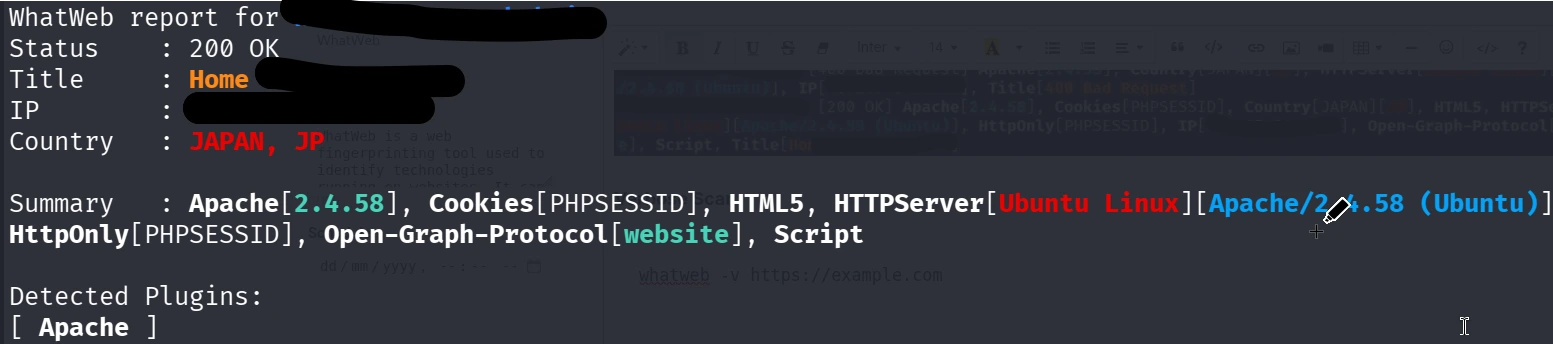
What it tells you
You get a cleaner, detailed report showing the status code, IP, title, and detected server/CMS information.
Aggressive Scan
Aggressive mode sends more requests to the target and can detect additional technologies, plugins, and frameworks.
whatweb -a 3 https://example.comAggression levels:
-a 1 # Stealthy
-a 2 # Moderate
-a 3 # Aggressive
-a 4 # Heavy
Output: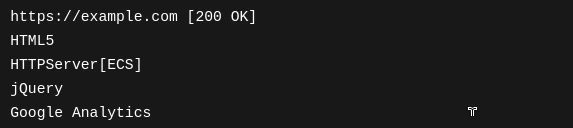
Scan Multiple Websites
You can scan many websites at once by storing them in a text file.This is useful for bulk reconnaissance when checking multiple websites at once.
https://example.com
https://google.com
https://wordpress.org
Run:
whatweb -i websites.txtOutput:
Scan and Save Output
You can save scan results for reporting or later analysis.
Text File
Text format → Simple readable report.
whatweb https://example.com > report.txt
whatweb --log-brief report.txt https://example.com
XML Output
whatweb --log-xml report.xml https://example.comJSON Output
JSON format → Best for automation, scripting, or storing structured data.
whatweb --log-json report.json https://example.comScan Specific Plugin
WhatWeb has many detection plugins. You can list them and use a specific one.
List available plugins:
whatweb --list-pluginswhatweb --plugins WordPress https://target.comFollow Redirects
Some Websites redirect from http → https or from non-www → www. This option follows redirects automatically.
whatweb --follow-redirect=always https://target.comOutput:
You can see the redirect path and the technologies used on the final destination website.
Practical Final Enumeration Command
For a complete blog technology report, use this command:
whatweb -a 3 -v --log-json blog-report.json https://target-blog.comImportant Note
Use WhatWeb only on websites you own or have permission to assess. Unauthorized scanning may violate laws or terms of service.
Quick Command Summary
Purpose Command
Basic scan whatweb https://site.com
Verbose scan whatweb -v https://site.com
Aggressive scan whatweb -a 3 https://site.com
Scan multiple sites whatweb -i website.txt
Save JSON report whatweb --log-json report.json https://site.com
Detect WordPress only whatweb --plugins wordpress https://site.com
Follow redirects whatweb --follow-redirect=always https://site.com
No comments yet. Be the first to comment!