Linux is a free, open-source, Unix-like operating system kernel created by Linus Torvalds in 1991. An operating system acts as the bridge between computer hardware and software applications.
Linux refers only to the kernel, while a complete operating system includes additional software such as the shell, libraries, package manager, and utilities.
What is Open Source?
- View source code
- Modify code
- Improve code
- Share improvements
- Redistribute software
Linux allows users to:
- Manage hardware resources
- Run applications
- Control memory
- Manage files
- Connect to networks
- Secure systems
- Execute multiple tasks simultaneously
What is an Operating System?
An Operating System (OS) is system software that manages all hardware and software resources.Without an operating system, a computer cannot function properly.
Examples include:
- Windows
- macOS
- Linux
- Android
- FreeBSD
History of Linux
| Year | Event |
|---|---|
| 1991 | Linus Torvalds released the first Linux Kernel |
| 1992 | Released under GNU GPL License |
| 1994 | Linux Kernel 1.0 released |
| 2003 | Enterprise Linux became mainstream |
| 2008 | Android adopted Linux Kernel |
| Today | Linux powers cloud, containers, AI, IoT, supercomputers, and enterprise servers |
Why was Linux Created?
Linus Torvalds wanted a free Unix-like operating system that anyone could modify and distribute.
The goals were:
- Free software
- Open development
- Better stability
- Better performance
- Community collaboration
Linux Architecture
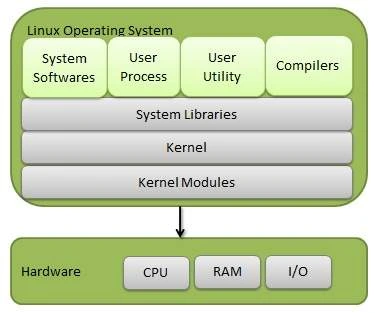
Shell
The shell is the command interpreter that accepts user commands.
Popular shells:
- Bash
- Zsh
- Fish
- Ksh
Kernel
The kernel is the heart of Linux.
It manages:
- CPU
- Memory
- Processes
- Devices
- File Systems
- Networking
Hardware
Physical components:
- CPU
- RAM
- Hard Disk
- SSD
- Keyboard
- Mouse
- GPU
- Network Card
Popular Linux Distributions
A Linux Distribution (Linux Distro) is a complete operating system built around the Linux kernel. Since the Linux kernel alone cannot function as a full operating system, distributions combine it with essential software such as system utilities, package managers, desktop environments, libraries, and applications to create a ready-to-use platform.
Different Linux distributions are designed for different purposes. Some focus on ease of use, while others prioritize security, stability, performance, or customization.
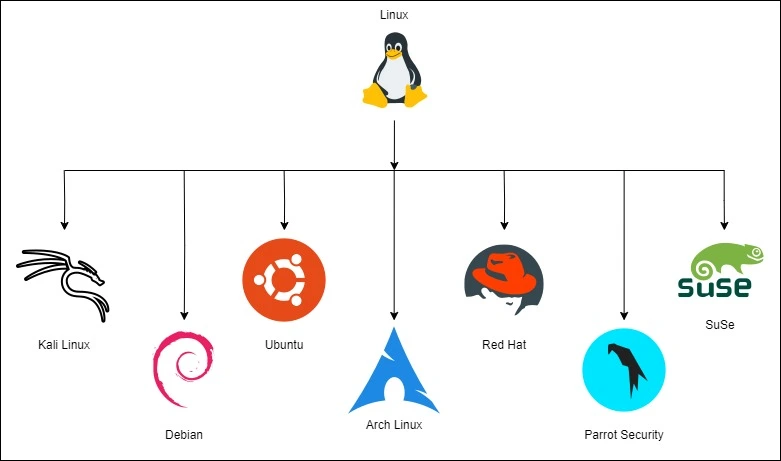
Why Are There So Many Linux Distributions?
Linux is open source, allowing developers and organizations to create distributions tailored to specific needs.
Common goals include:
- Beginner-friendly desktop use
- Enterprise servers
- Cybersecurity and penetration testing
- Cloud computing
- Software development
- Scientific research
- Embedded systems
- Lightweight systems for older hardware
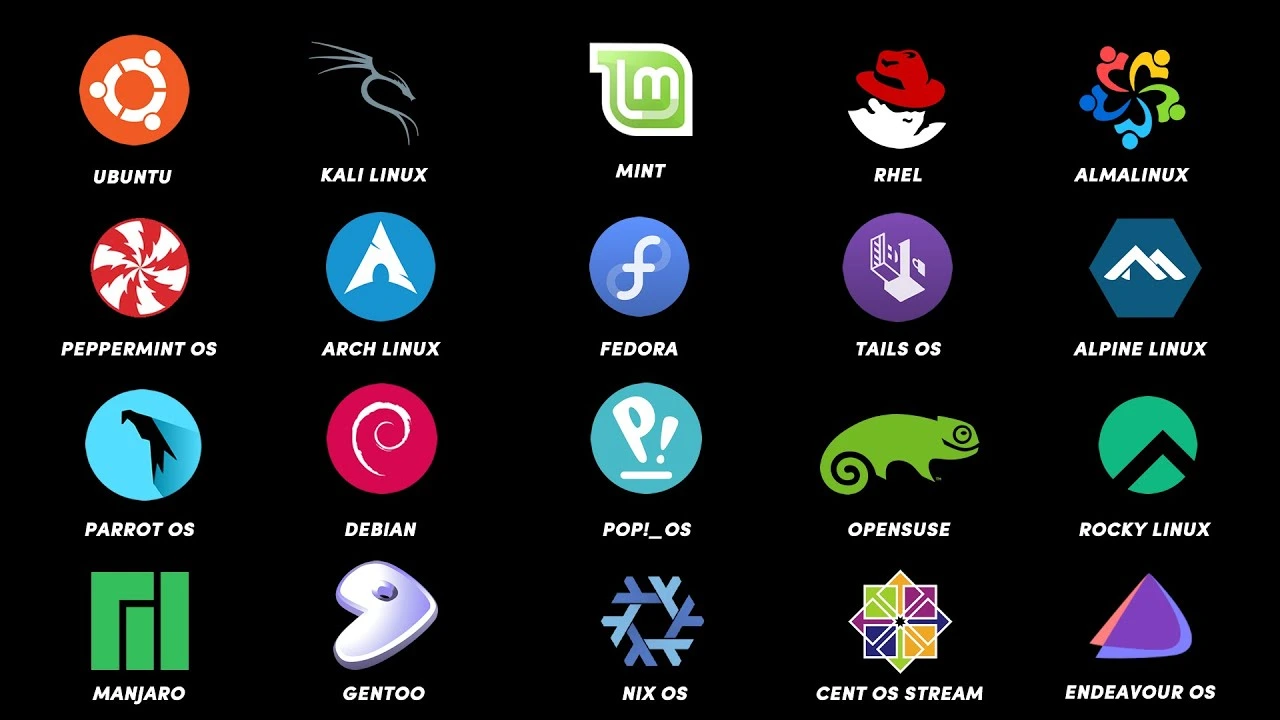
1. Beginner-Friendly Distributions
These distributions are easy to install and use.
Examples:
- Ubuntu
- Linux Mint
- Zorin OS
- Pop!_OS
2. Enterprise Distributions
Designed for business environments.
Examples:
- Red Hat Enterprise Linux (RHEL)
- Rocky Linux
- AlmaLinux
- SUSE Linux Enterprise
3. Security-Focused Distributions
Built for ethical hacking, penetration testing, and digital forensics.
Examples:
- Kali Linux
- Parrot Security OS
- BlackArch
Best for:
- Cybersecurity professionals
- Ethical hackers
- Penetration testers
4. Rolling Release Distributions
Receive continuous software updates instead of major version releases.
Examples:
- Arch Linux
- Manjaro
- openSUSE Tumbleweed
Best for:
- Advanced users
- Developers
Comparison of Popular Linux Distributions
| Distribution | Package Manager | Release Model | Best For |
|---|---|---|---|
| Ubuntu | apt | Fixed + LTS | Beginners, Cloud, Development |
| Debian | apt | Stable | Servers |
| Fedora | dnf | Fixed | Developers |
| Kali Linux | apt | Rolling | Cybersecurity |
| Arch Linux | pacman | Rolling | Advanced Users |
| Rocky Linux | dnf | Stable | Enterprise Servers |
| Linux Mint | apt | Fixed | Desktop Users |
| openSUSE Tumbleweed | zypper | Rolling | Developers |
How to Choose the Right Linux Distribution
| Purpose | Recommended Distribution |
|---|---|
| Learning Linux | Ubuntu, Linux Mint |
| Programming | Fedora, Ubuntu |
| Server Administration | Debian, Rocky Linux |
| Enterprise Workloads | Rocky Linux, RHEL |
| Cybersecurity | Kali Linux, Parrot Security OS |
| DevOps | Ubuntu Server, Rocky Linux |
| Cloud Computing | Ubuntu Server, Debian |
| Older Hardware | Lubuntu, Puppy Linux |
| Advanced Customization | Arch Linux |
No comments yet. Be the first to comment!